

Flipkart Label Crop - Free Online Tool for Sellers
Upload your Flipkart shipping label PDF, choose your print format, and download perfectly cropped labels in seconds. No login needed.
... or drop files here
Simple, safe file processing - designed to respect your privacy
How to Crop Your Flipkart Shipping Label PDF
Three steps from upload to print-ready labels - no account, no settings to figure out.
Select your printer format
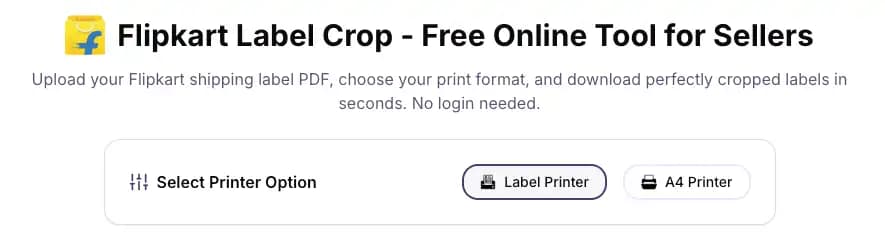
Before uploading, choose how you want your labels printed:
- Label Printer - outputs one cropped label per page, sized for thermal label printers (typically 4×6 inch).
- A4 Printer - fits four Flipkart labels onto a single A4 sheet. Cuts paper usage and print time when handling bulk orders.
Selling on other marketplaces too? You can also use our Meesho label crop tool or Amazon label crop tool to format your labels.
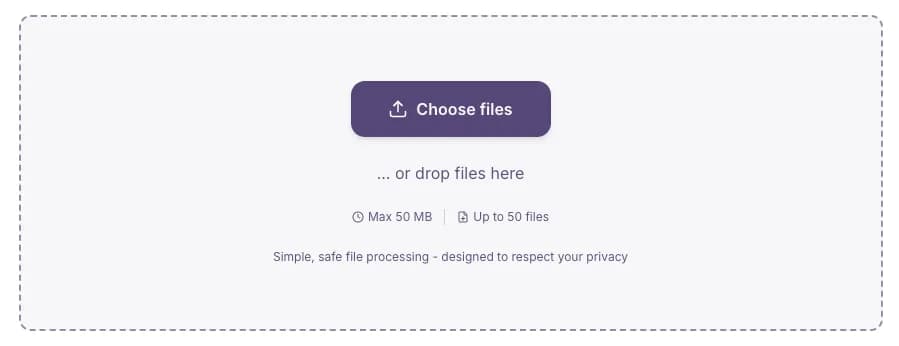
Upload your Flipkart label PDF
Click "Choose files" or drag and drop your PDF directly into the upload area. You can upload up to 50 PDF files at once - useful when processing multiple Flipkart seller orders in a single batch. Max file size is 50MB per upload.
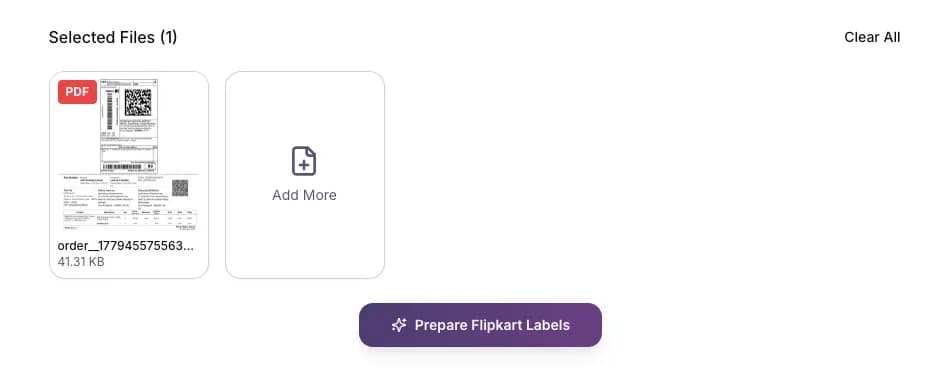
Prepare and download your cropped labels
Click "Prepare Flipkart Labels." The tool processes your PDF, automatically crops each label to the correct size for your chosen format, and gives you a download-ready file. Your files are processed on your device - nothing is sent to or stored on any server.
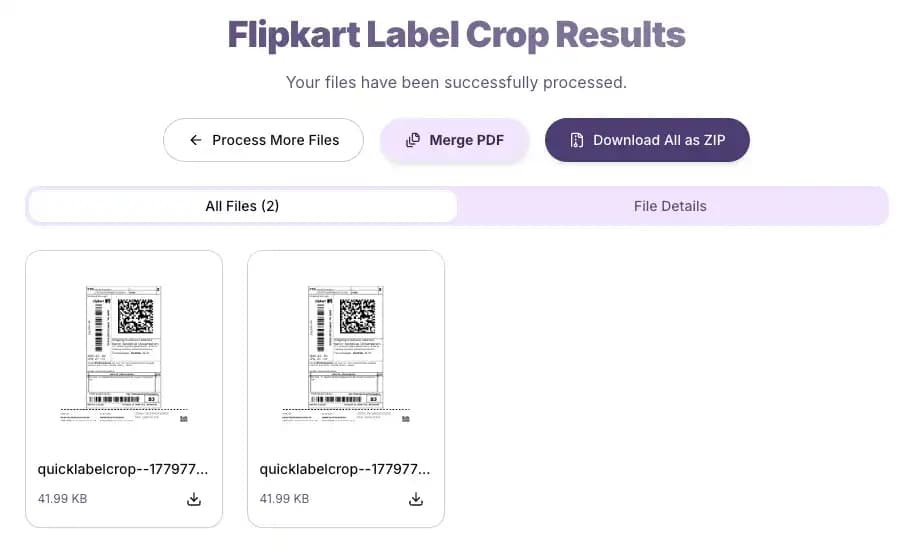
Merge all into one PDF
If you uploaded multiple PDFs, use the Merge All button after processing to combine every cropped file into a single PDF with one click. This built-in feature works just like a dedicated merge PDF tool, allowing you to combine all files without navigating to another page.
What Makes This Flipkart Label Cropper Worth Using
| Feature | What it means for you |
|---|---|
| Handles large batches - even 10,000+ pages | Most browser-based label tools start lagging or crashing when you throw large PDFs at them. This flipkart shipping label crop tool has been tested on PDFs with over 10,000 pages and processes them without slowing down. High-volume Flipkart sellers clearing hundreds of orders daily can run full batches without splitting files. |
| Your files never leave your device | Processing happens entirely in your browser. Your Flipkart shipping label PDFs are not uploaded to any server and are not stored anywhere. This matters if you're concerned about order data or customer addresses being exposed. |
| Four labels on one A4 sheet | The A4 format option prints four cropped Flipkart labels on a single page. For sellers printing 100+ labels a day, that's 75% less paper and significantly faster print runs. |
| Single-label format for thermal printers | If you use a thermal label printer, the Label Printer option outputs each label cropped to fit cleanly without margins or wasted space. Barcodes and addresses print at the correct size for reliable scanning. |
| Upload up to 50 files at once | Batch-upload 50 separate Flipkart PDFs in one go. The tool crops all of them in sequence - no need to process files one by one. |
| Works on budget devices | Runs well on low-spec Android phones and older laptops. Because processing is client-side (in the browser, not on a server), you're not dependent on server speed or load. Your device does the work, and it handles it efficiently even with limited RAM. |
| One-click PDF merge | After cropping, combine all your processed label files into a single PDF with one click. Useful when you want to send everything to a print shop or keep a tidy archive. |
| No ads blocking your workflow | There are ads on the page, but they don't interrupt the tool. You can upload and process labels the moment the page loads - no pre-roll, no forced wait. |
When Flipkart Sellers Use This Tool
This tool is built to solve everyday challenges faced by ecommerce sellers during their dispatch cycle:
Bulk order dispatch days
When you're preparing 200–500 orders for a single pickup, printing each label individually is slow. Upload all your Flipkart PDFs at once, choose A4 format, and print four labels per page. Cuts print time and paper cost significantly.
Thermal printer users who get misaligned prints
Flipkart's raw PDF downloads often have extra margins that throw off thermal printers - labels print off-centre or the barcode gets clipped. The flipkart label crop tool trims each label to the correct dimensions so your thermal printer gets clean input.
Sellers who outsource label printing
If you send labels to a print shop or a team member, they need one clean PDF - not 30 separate files. Crop everything, hit Merge All, send one file.
Processing labels on a phone or low-end laptop
If you're not always at a desktop machine, the tool runs on mobile browsers and handles large files without the page freezing. Useful for sellers managing orders from a phone.
Flipkart Label Crop - Common Questions
Got questions about how the Flipkart PDF label cropper works? Keep reading for quick, direct answers.
Is this Flipkart label crop tool completely free?
Yes. No subscription, no account, no hidden limits. Upload as many files as you need.
Do I need to create an account or log in?
No. The tool works without any sign-up. Open the page and start processing immediately.
Is there a limit on how many PDFs I can process?
You can upload up to 50 PDF files per batch. There's no daily cap - you can run multiple batches back to back.
What's the maximum file size?
Each upload session supports up to 50MB. If your PDF is larger, try splitting it into two parts before uploading.
Are my Flipkart label files stored on a server?
No. The tool processes files locally in your browser. Your PDFs are never uploaded to or stored on any external server.
What's the difference between Label Printer and A4 Printer format?
Label Printer crops each shipping label for a thermal printer - one label per page at the standard 4×6 size. A4 Printer fits four cropped labels onto one A4 sheet, which is better for standard office printers and saves paper.
My labels are printing with white borders or extra space. Why?
Flipkart's downloaded PDFs often include margins around the actual label content. The flipkart shipping label pdf crop tool detects and removes that extra space automatically. If borders still appear after cropping, check your printer settings - make sure you're printing at "Actual size" (100%), not "Fit to page," which can add its own margins.
The barcode on my label isn't scanning after printing. What should I do?
This is almost always a print resolution issue. Set your printer to at least 300 DPI and print at 100% scale. Scaling labels down even slightly can make barcodes too small or blurry for scanners to read.
Can I upload multiple Flipkart PDFs at once?
Yes. You can drag and drop up to 50 PDF files into the upload area in one go. The tool processes all of them and lets you merge the output into one file.
What is the merge feature?
After processing multiple PDFs, the Merge All button combines every cropped label file into a single PDF. This is useful if you want to send one file to a printer or keep your labels organised in one place.
Does this work on mobile or tablet?
Yes. The tool runs in any modern browser, including Chrome and Safari on Android and iOS. It also works well on low-spec devices because processing happens on your device, not a remote server.
Do I need to install any software or app?
No. This is a browser-based flipkart label crop online tool - no download, no installation, works on any operating system.
Can I use this for labels from other platforms like Meesho or Amazon?
This tool is built specifically for Flipkart shipping label PDFs. For Meesho or Amazon labels, separate tools are available on this site.
Why does my A4 output show only 2 labels instead of 4?
This happens when your original PDF has fewer than 4 labels, or when label dimensions are too large to fit four per page. The tool always maximises how many fit cleanly - it won't squeeze labels to force four if the format doesn't allow it cleanly.
Can I use the Label Printer format on an A4 printer?
Technically yes, but the output will be one label per page with white space around it. If you're printing on A4, choose the A4 format to get four labels per sheet and save paper.
Is there a risk of my customer's address data being exposed?
No. Because files are processed entirely in your browser and never sent to any server, no one else has access to the data in your PDFs.
How is this different from other Flipkart label crop tools online?
The main differences: file processing happens on your device (not a server), it handles very large PDFs (10,000+ pages) without performance issues, you can batch upload 50 files at once, and there's a one-click merge for combining output files. Most competing tools process on their servers, limit file sizes, and don't offer a merge feature.
What Is Flipkart Label Crop and Why Do Sellers Need It
When you download a shipping label from your Flipkart Seller Hub, the PDF usually has extra space around the label - blank margins, formatting, and sometimes invoice pages mixed in. Printing these as-is wastes paper and can cause alignment issues on label and thermal printers.
A flipkart label crop removes all of that. The tool identifies where the actual label content is, crops the PDF to that area, and gives you a clean file ready to print. For sellers dealing with dozens or hundreds of orders, doing this manually wastes time. An automated crop flipkart label tool handles it in seconds regardless of how many pages are in the file.
If you also run stores on other platforms, we have built similar cropping engines for you. You can try our Meesho label crop tool, Amazon label crop tool to automate label cropping across all your ecommerce channels.
Optimize Your Flipkart Label Cropping Today
Upload your Flipkart shipping label PDF now and get perfectly cropped, print-ready labels in seconds. Choose thermal 4x6 for your thermal printer or 4 labels per A4 sheet to save paper. 100% secure and free.