

Meesho Crop PDF - Free Shipping Label Crop Tool
Upload your Meesho shipping label PDF, crop labels by SKU, keep or remove invoices, choose your printer layout - and merge everything into one PDF with a single click. Free to use on any device, no signup required.
... or drop files here
Simple, safe file processing - designed to respect your privacy
Free to use, supported by non-intrusive ads. The tool loads and works immediately - no forced ad screens.
This free Meesho Crop PDF tool takes your shipping label PDF straight from the Meesho Supplier Panel and processes it entirely in your browser - no upload to a server, no queue, no waiting. Whether you need to crop Meesho labels from a 30-order afternoon batch or a 10,000-page sale season file, it runs at the same speed. Sort by SKU, keep or strip invoices, pick 4×6 thermal or 4-up A4, and merge all your processed batches into one print-ready PDF. No login. Works on any device, including low-end phones and older laptops. If you also sell on other platforms, I Love Compress has a dedicated Amazon label crop tool and a Flipkart label crop tool that work the same way.
How to crop your Meesho labels online
Upload your Meesho labels PDF
Log into the Meesho Supplier Panel, go to your pending orders, and download the shipping labels PDF. Drag it into I Love Compress or click to browse. Add up to 50 label files at once for batch processing.
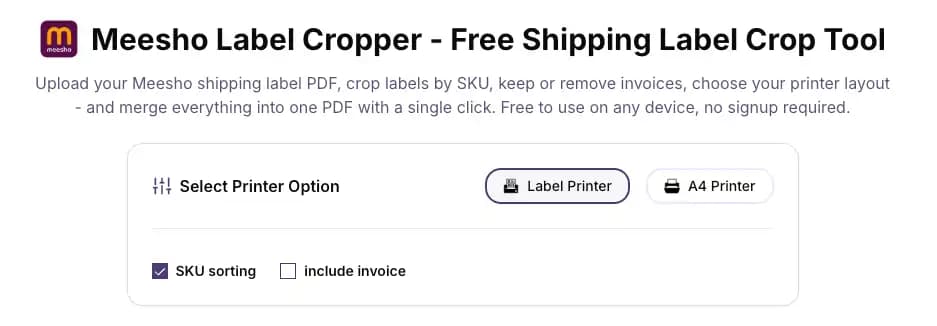
Set your options
Choose thermal 4×6 or A4 printer layout. Toggle SKU sorting on to group labels by product. Check or uncheck Include Invoice depending on whether you need invoice pages in the output. The Meesho PDF crop settings take under 10 seconds to configure.
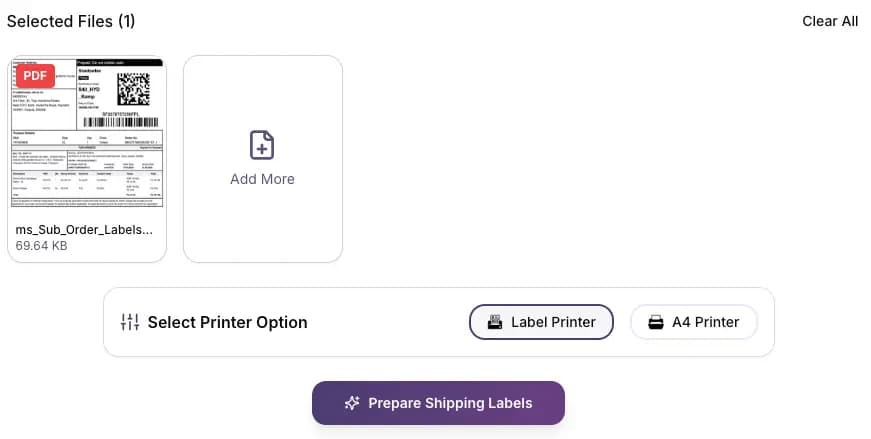
Click Prepare Shipping Labels
Hit the button. This Meesho Crop PDF tool runs entirely in your browser - no server processing, no timeout errors. A 1,000-page file takes a few seconds. A 10,000-page file still runs smoothly on low-end devices.
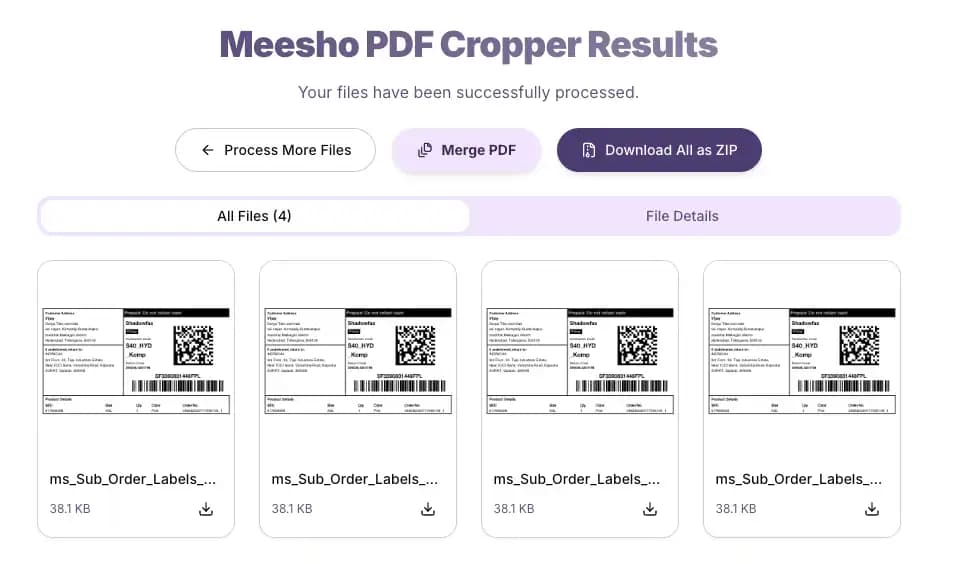
Download and merge
Download each processed file individually. Or hit the merge button to combine all your cropped Meesho label PDFs into one single file - ready to send to your printer in one job.
Why Meesho sellers use I Love Compress for Meesho Crop PDF
| Feature | What it means for you |
|---|---|
| Crop and sort by SKU | Labels come out grouped alphabetically by SKU - packing teams work product by product, not order by order |
| Include or exclude invoices | One checkbox keeps invoice pages in or strips them out - your choice per batch |
| 4-up A4 layout | Four Meesho labels per A4 sheet - cuts paper usage by up to 75% on high-volume days |
| 4×6 thermal output | Perfect crop for thermal printers - no scaling required, no white borders, barcodes print at full size |
| One-click merge | Crop multiple batches separately throughout the day, then combine all outputs into one file for a single print run |
| Up to 50 files at once | Upload your entire day's batches together - no need to process one file at a time |
| Works on any device | Browser-based processing - a budget Android phone from 2018 handles it without trouble |
| No file storage | PDFs never leave your device - no server copy, no customer data exposure |
Built for high-volume Meesho sellers - no page limit, no freezing
Most Meesho PDF crop tools hit a wall when you upload a file with hundreds of orders. I Love Compress does not. Whether you're processing 30 labels on a slow day or clearing a 10,000-page backlog after a Meesho sale event, the tool handles it at the same speed. Everything runs in your browser - there's no server queue, no upload timeout, and no "file too large" rejection. Sellers who process multiple order batches per day use the merge feature to combine all their cropped PDFs at the end of the day, sending one clean file to the printer instead of juggling separate downloads.
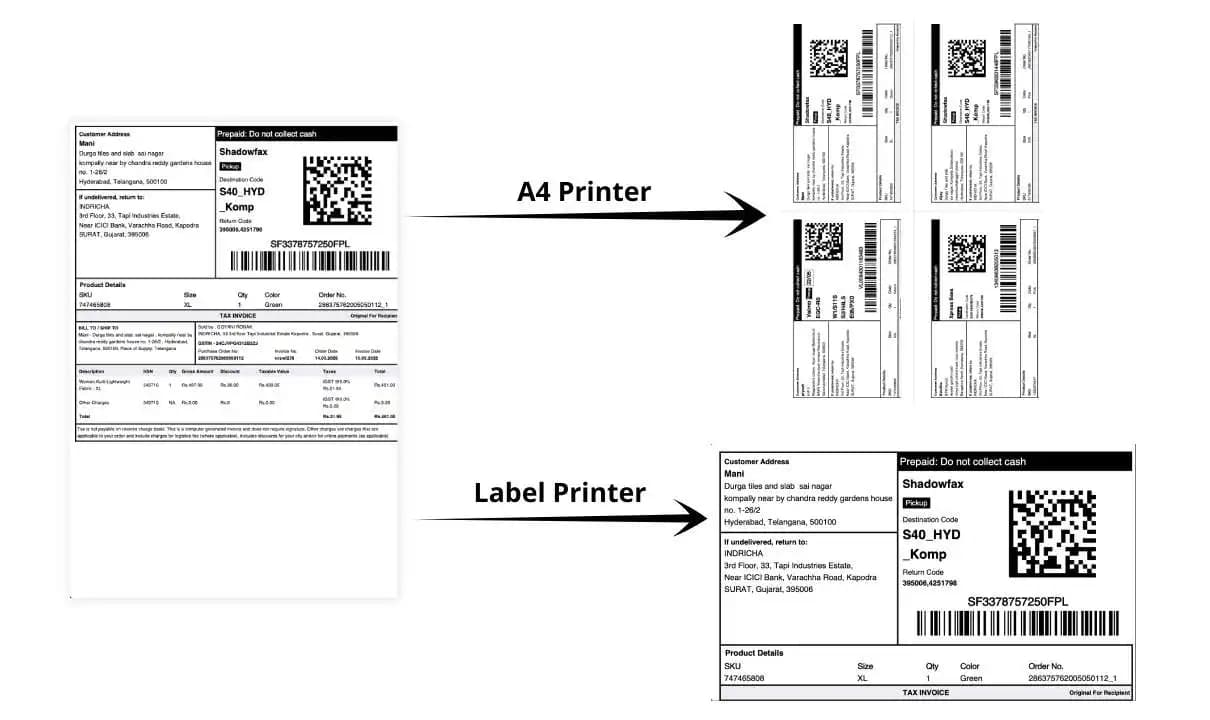
Situations this Meesho Crop PDF tool solves
Your Meesho PDF has labels and invoices mixed together
Meesho's label PDF often includes invoice pages alongside shipping labels. Before printing, you need them handled. The invoice toggle lets you keep them in or strip them out entirely - one checkbox, zero manual sorting.
Your packing team wastes time cross-referencing products during picking
The SKU sorting feature groups all labels for the same product together in the output. Your team picks every unit of one SKU first before moving to the next - no jumping between different products per order.
You're printing 150 Meesho orders and going through too much paper
Switch to 4-up A4 layout. 150 orders becomes fewer than 40 sheets. Same barcodes, same readability, fraction of the paper cost.
You process Meesho orders in batches throughout the day
Crop your morning batch, afternoon batch, and evening batch separately as they come in. At the end of the day, use the one-click merge to combine all three into a single PDF for one print run.
You're managing dispatch alone and working from your phone
I Love Compress runs in mobile Chrome and Safari. Upload your Meesho label PDF from your phone's file manager, crop it, and download - no desktop, no app installation needed.
You sell on Meesho, Amazon, and Flipkart and need one workflow for all three
Use I Love Compress for all your platforms. The Amazon label crop tool and the Flipkart label crop tool follow the same interface - same steps, no relearning.
A typical dispatch day using Meesho Crop PDF
Here's how a Meesho seller uses this Meesho Crop PDF workflow from start to finish:
9:00 AM - Log in and Download
Log into the Meesho Supplier Panel. Go to Orders → New Orders, select the morning batch, and click Ready to Dispatch. Download the shipping labels PDF - it comes with labels and invoices in the same file.
9:05 AM - Configure and Crop
Open I Love Compress Meesho Crop PDF tool. Drag in the PDF. Select: thermal 4×6, SKU sorting on, Include Invoice off. Click Prepare Shipping Labels. A 200-order PDF is done in under 10 seconds.
9:07 AM - Print and Pick
Download the cropped file. Send to the thermal printer. Labels come out sorted by SKU - packing team picks product by product, no hunting between orders.
2:00 PM - Process Afternoon Batch
Afternoon orders are in. Repeat the same process for the second batch.
7:00 PM - Final Batch and Merge
Evening batch downloaded and cropped. Click Merge - all three processed PDFs combine into one file. Send it to the printer once. Done.
Total time spent on Meesho label prep across the full day: under 5 minutes.
If your dispatch also includes Amazon or Flipkart orders, run those PDFs through the Amazon label crop tool or the Flipkart label crop tool in separate tabs - then merge all platform outputs together into one file before the print run.
Frequently asked questions about Meesho Crop PDF
About the tool
Is this Meesho Crop PDF tool free?
Yes, completely free. No subscription, no credit card, no watermark on the output. You can process 10 orders or 10,000 orders - the experience is identical with no hidden costs. The tool is supported by non-intrusive ads that don't interrupt your workflow.
Do I need an account to crop Meesho labels online?
No account, no login, no email required. Open the page and start uploading immediately.
Can I crop Meesho labels online on my phone?
Yes. Upload from Chrome or Safari on Android or iPhone, set your options, and download the processed file. Works on low-end and older phones too - no app needed.
Does it work on older or slower computers?
Yes. Processing runs locally in your browser - no heavy server dependency, no internet speed requirement after the page loads. A 4-year-old budget laptop handles 1,000-page PDFs without issue.
About file processing
How large a PDF can I upload to Meesho Crop PDF?
No page limit. The tool is tested on 10,000+ page files and runs without crashing or freezing, even on low-end devices.
Can I upload multiple files to crop Meesho labels in one go?
Yes. Select up to 50 files at once. Each file is cropped separately. Use the merge button afterward to combine all outputs into a single print-ready PDF.
How does the merge feature work for Meesho labels?
After cropping, a merge button combines all your processed PDFs into one file. If you've cropped three batches from the day, merge them and send a single print job.
Can I merge files from different batches processed at different times?
The merge works within your current browser session. To merge files from earlier in the day, re-upload the previously downloaded files alongside your latest batch in a fresh session, then merge.
Does Meesho Crop PDF store my PDFs?
No. All processing happens in your browser. Your files never leave your device. Close the tab and everything clears - there is no server copy.
Does it expose my customer data?
No. Since files process locally, no customer name, address, or order information is ever transmitted to any server.
About the output
What size are the cropped Meesho labels?
Thermal mode outputs standard 4×6 inch (100×150mm) labels, compatible with Zebra, Godex, TSC, and most common thermal printers. A4 mode fits four labels per A4 sheet.
Will barcodes still scan after the Meesho label crop?
Yes. The crop only removes whitespace and adjusts page boundaries - barcode data is completely untouched. Set your thermal printer to 300 DPI with darkness on high for clean, first-scan reads.
Can I print 4 Meesho labels on one A4 sheet?
Yes. Select A4 mode before clicking Prepare and the tool arranges four labels per page automatically.
How does SKU sorting work for Meesho orders?
Labels are grouped and sorted alphabetically by SKU. All units of the same product appear together in the output - packing teams pick and pack by product, not order by order.
Can I keep the invoice with my Meesho shipping label crop?
Yes. Check the Include Invoice option before processing and invoice pages remain in the output alongside the labels. Uncheck it and only the cropped labels come through.
About printing and couriers
What printer settings should I use for Meesho labels?
For thermal: print at 100% scale (not "fit to page"), media size 4×6 inch, darkness/density set to high. For A4: disable "shrink to fit", margins at 0, print at 100% scale.
Why are my Meesho label barcodes blurry after printing?
Three common causes: DPI set below 300, "fit to page" enabled in the print dialog, or glossy label stock. Disable fit-to-page, print at 100%, switch to matte labels. Test with two different scanner apps to confirm readability.
The label prints with cut-off edges - how do I fix it?
Disable "fit to page" or "shrink to fit" in your printer dialog. Set margins to 0 and enable borderless printing if your printer supports it. Confirm the paper size profile matches the label output size.
My courier scan fails at pickup. What should I check?
Confirm the barcode is printing at full size with no scaling, the quiet zone around the barcode is intact, and print contrast is high. Also verify you're using the correct label PDF downloaded from the Meesho Supplier Panel for that courier.
Does this work with Delhivery, Ekart, Xpressbees, and other Meesho courier partners?
Yes. The tool crops whatever PDF Meesho generates, regardless of which courier partner is assigned to the order.
About the Meesho Supplier Panel
Where do I download the shipping label PDF from Meesho?
In the Meesho Supplier Panel: go to Orders → New Orders → select your orders → click Ready to Dispatch → download the label PDF. It comes with labels and sometimes invoices combined. Upload that file directly to I Love Compress.
My Meesho PDF has blank pages in it. Will the crop tool handle them?
Yes. Blank pages are stripped during processing - your output contains only cropped label pages.
Does this work if Meesho changes its label format?
The tool crops based on the PDF page structure. Minor format changes Meesho makes don't typically affect the output. If something breaks, the tool is updated to match - check the page if you notice any issue after a Meesho platform update.
I process Meesho orders in multiple batches throughout the day. What's the fastest workflow?
Crop each batch as it comes in using the Meesho Crop PDF workflow. At the end of the day, upload all previously downloaded processed files plus your final batch, and merge them into one file for a single print run.
Can I use this for Meesho Easy Returns labels too?
This tool is built for outgoing Meesho shipping labels. Return labels follow a different format - results may vary.
Crop Your Meesho Labels & Merge Batches
Looking for a free Meesho Crop PDF tool that doesn't break on large files or push ad screens in front of the tool? I Love Compress is it. The Meesho Crop PDF tool runs entirely in your browser - no forced interruptions, no paywalls mid-session. Use it as your daily Meesho label workflow or pull it up on your phone before the courier arrives. Upload your file, set your options, and your labels are ready in seconds. Also selling on Amazon or Flipkart? Use the Amazon label crop tool and the Flipkart label crop tool - same workflow, all platforms covered.